
Screaming Frog vs PreflightSEO: When to Use Each
You searched for "screaming frog alternative." Maybe someone recommended PreflightSEO, or you're shopping for a better tool for your migration workflow.
Here's the honest answer: PreflightSEO is not a Screaming Frog replacement. Screaming Frog is one of the best SEO crawlers ever built. If you want a straight-up substitute for deep site auditing, you won't find it here.
But if you're in the middle of a site migration and need to automatically compare your old site against the new one — without a spreadsheet — that's where this article gets interesting.
Let's break down what each tool does, where it falls short, and when to reach for each one.
What Screaming Frog Actually Does
Screaming Frog SEO Spider is a desktop application that crawls a website and gives you a complete picture of its technical state.
Run it on a site and you get:
- Every URL on the site with its HTTP status code
- Meta titles and descriptions (missing, duplicate, too long, too short)
- H1 and H2 tags
- Canonical tags
- Internal and external links (broken, redirected, nofollow)
- Images (missing alt text, oversized files)
- Response times and page depth
- JavaScript and CSS file references
It's comprehensive, fast, and highly configurable. You can connect it to Google Analytics and Search Console, run custom extractions with XPath, and render JavaScript. It's earned its reputation as the standard tool for technical SEO.
When to reach for Screaming Frog:
- You're auditing a site's current technical health from scratch
- You're building a URL inventory before starting a migration
- You're diagnosing crawl budget issues, thin content, or internal linking problems
- You need to check image alt text, duplicate content, or schema markup across a whole site
See also: The Developer's SEO Migration Checklist covers how a full crawl fits into a complete migration workflow.
The Gap It Leaves
Here's what Screaming Frog does not do: automatically compare two versions of your site.
Imagine you've just migrated a 3,000-page e-commerce site from Magento to Shopify. Your staging environment is ready. You want to verify that every important page made it across, that titles and H1s didn't change unexpectedly, and that nothing is returning 404 or accidentally flagged with noindex.
With Screaming Frog, the workflow looks like this:
- Crawl the old site. Export to CSV.
- Crawl the new site. Export to CSV.
- Open both CSVs in Excel.
- VLOOKUP old URLs against new URLs.
- Check for titles that changed.
- Manually flag which URLs appear in the old CSV but not the new one.
- Repeat for H1s, canonical tags, and meta robots.
For a 3,000-page site, this is a half-day of work. For an agency running multiple migrations a month, that time adds up. And it's error-prone — manual comparisons miss things, especially when redirect chains are involved.
Screaming Frog wasn't designed for this workflow. It's excellent at auditing one environment. Comparing two environments is a different problem entirely.
What PreflightSEO Does
PreflightSEO is built specifically for the comparison problem that Screaming Frog leaves to spreadsheets.
You give it two base URLs — your old site and your new site (or production and staging). It crawls both, automatically matches pages between them, and surfaces what regressed.
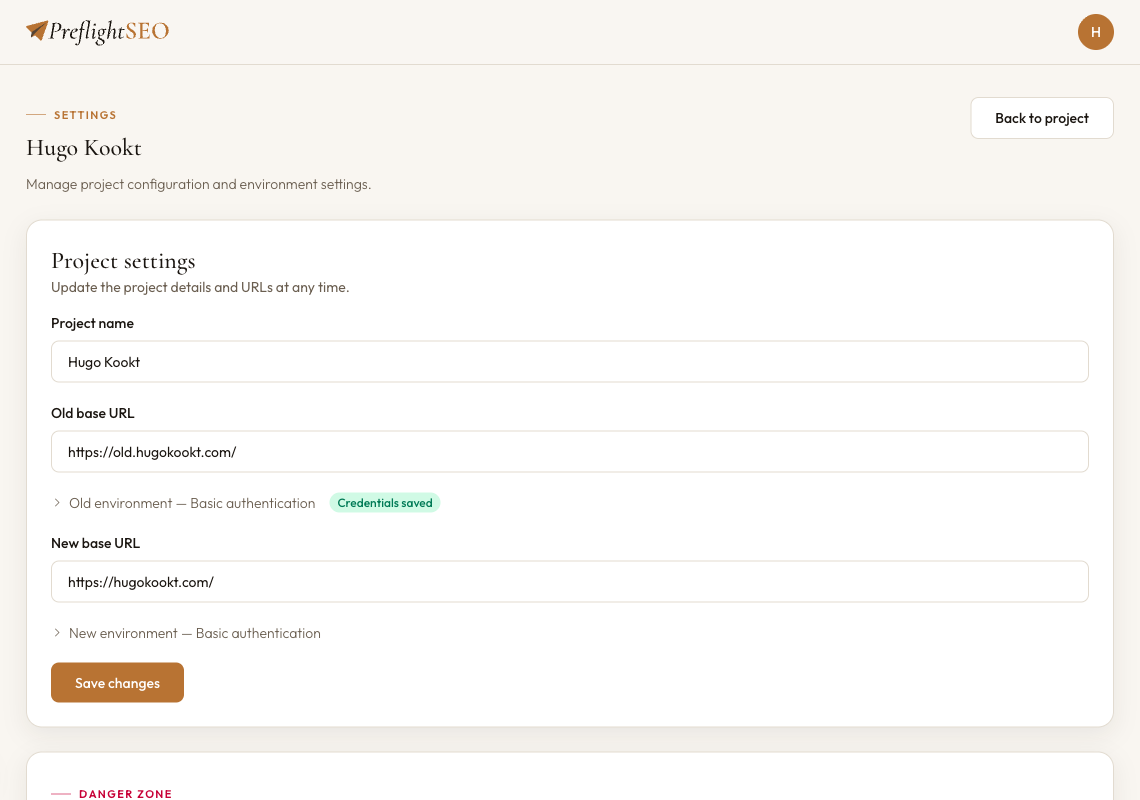
The automatic page matching is the core differentiator. You don't export anything or write any formulas. PreflightSEO handles the matching logic: exact URL matches first, then normalized paths (trailing slashes, tracking parameters), then redirect resolution to find the final destination of each URL.
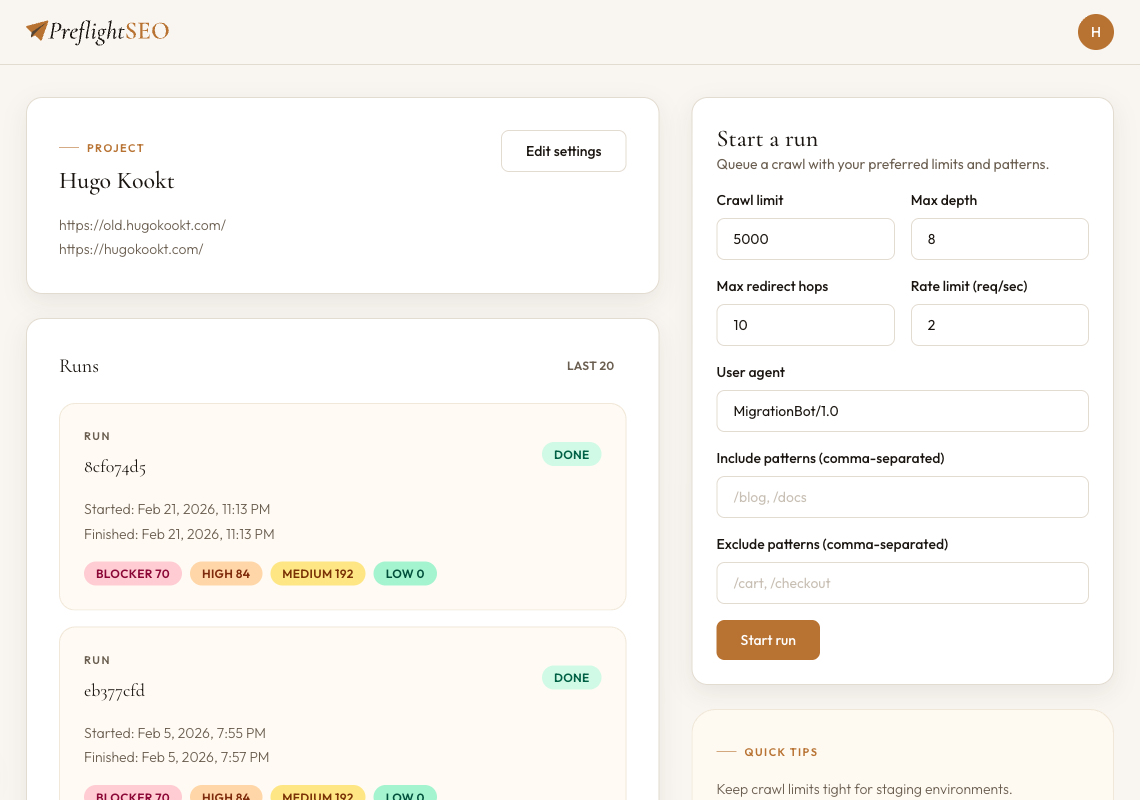
When the crawl finishes, you get a severity-ranked issues report:
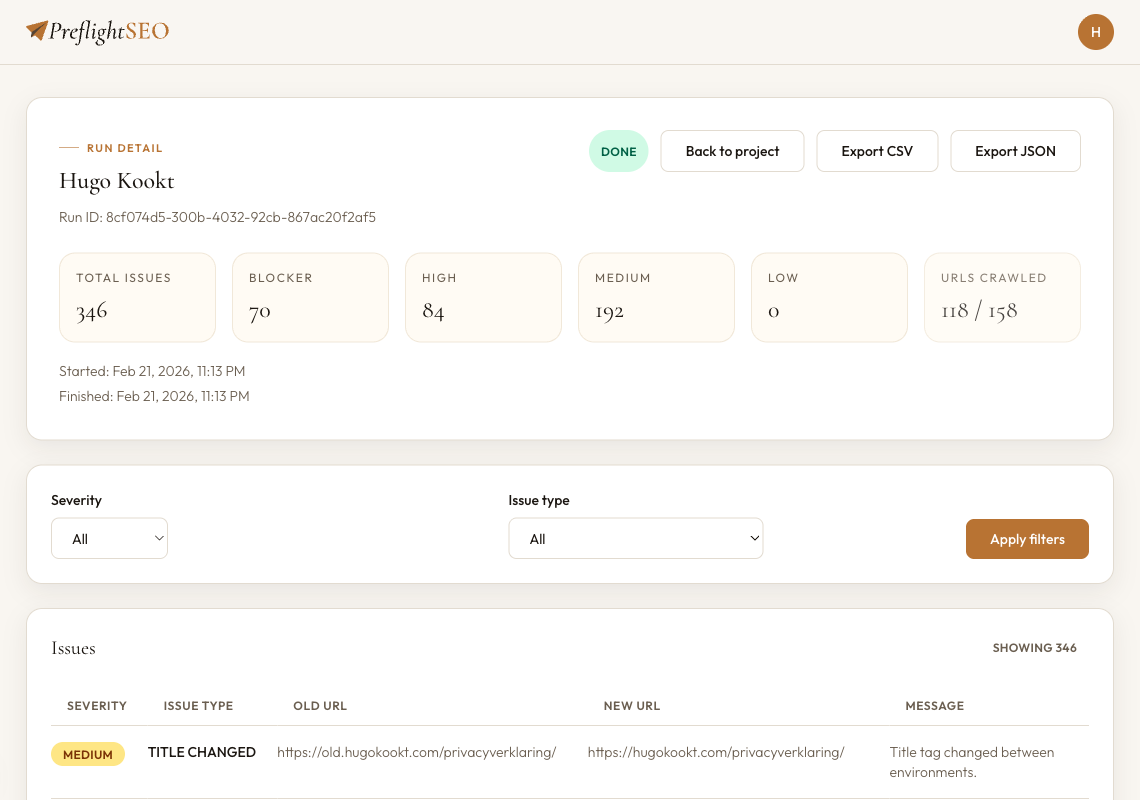
Each issue shows the old URL, the new URL, and exactly what changed. No spreadsheet required.
What it detects:
- MISSING_ON_NEW — Old URL returned 200; new URL returns 404 or 410
- TITLE_CHANGED — Title tag differs between old and new
- H1_CHANGED — H1 differs between environments
- CANONICAL_CHANGED — Canonical tag points to a different URL on the new site
- UNEXPECTED_NOINDEX — Page is noindex on new but was indexable on old
- REDIRECT_CHAIN — More than one redirect hop (Google penalises these)
- REDIRECT_LOOP — Infinite redirect detected
- ROBOTS_BLOCKED — Page blocked by robots.txt on the new environment
Because it runs in the cloud, you don't need your laptop open during the crawl. Trigger a run before a meeting, come back to the report.
Side-by-Side Comparison
| Screaming Frog | PreflightSEO | |
|---|---|---|
| Primary use case | Deep audit of a single site | Regression check between two environments |
| Workflow | Desktop app — crawl one site at a time | Cloud — point at two URLs, get a report |
| Automation | Manual, run when needed | Cloud — runs without your laptop open, scheduled runs coming soon |
| What it detects | Everything about one site (links, images, JS, CSS, meta) | What changed between old and new (missing pages, title/H1/canonical/noindex regressions) |
If you came here expecting to swap PreflightSEO in for Screaming Frog — it doesn't work that way, and that's intentional. They solve different problems. The right question isn't "which tool wins," it's "which problem do I have right now."
When to Use Each
Use Screaming Frog when:
- You're starting a site audit and need to understand the current technical state
- You're doing a pre-migration URL inventory — crawl the old site, export everything, build your redirect map
- You're diagnosing a crawl budget problem, internal linking issue, or thin content across a domain
- You need to check image alt text, duplicate meta descriptions, or structured data at scale
Use PreflightSEO when:
- The new site is built on staging and you need to verify it against production before go-live
- A migration has already launched and you need to confirm everything came across correctly
- You're an agency handling client migrations and want to hand over a severity-ranked report rather than a raw CSV
- You want regression checks to run automatically on every deployment
Use both together:
This is the recommended workflow for migrations that matter:
- Pre-migration: Use Screaming Frog to crawl the old site, inventory all URLs, and build your redirect map.
- Staging verification: Use PreflightSEO to compare staging against production — catch title regressions, noindex leaks, missing pages, and broken redirects before go-live. (The SEO migration checklist covers this phase in full.)
- Post-launch: Run PreflightSEO again against the live new site to confirm nothing broke at the DNS cutover.
Screaming Frog handles the deep-dive. PreflightSEO handles the comparison.
The Short Answer
If you need a Screaming Frog alternative that does everything Screaming Frog does: keep using Screaming Frog. It's genuinely excellent for what it was built for.
If you need to automatically compare an old site against a new one and get a prioritised list of what regressed: that's PreflightSEO.
Most migration teams end up using both.
Automate this step with PreflightSEO
Run your first migration comparison